
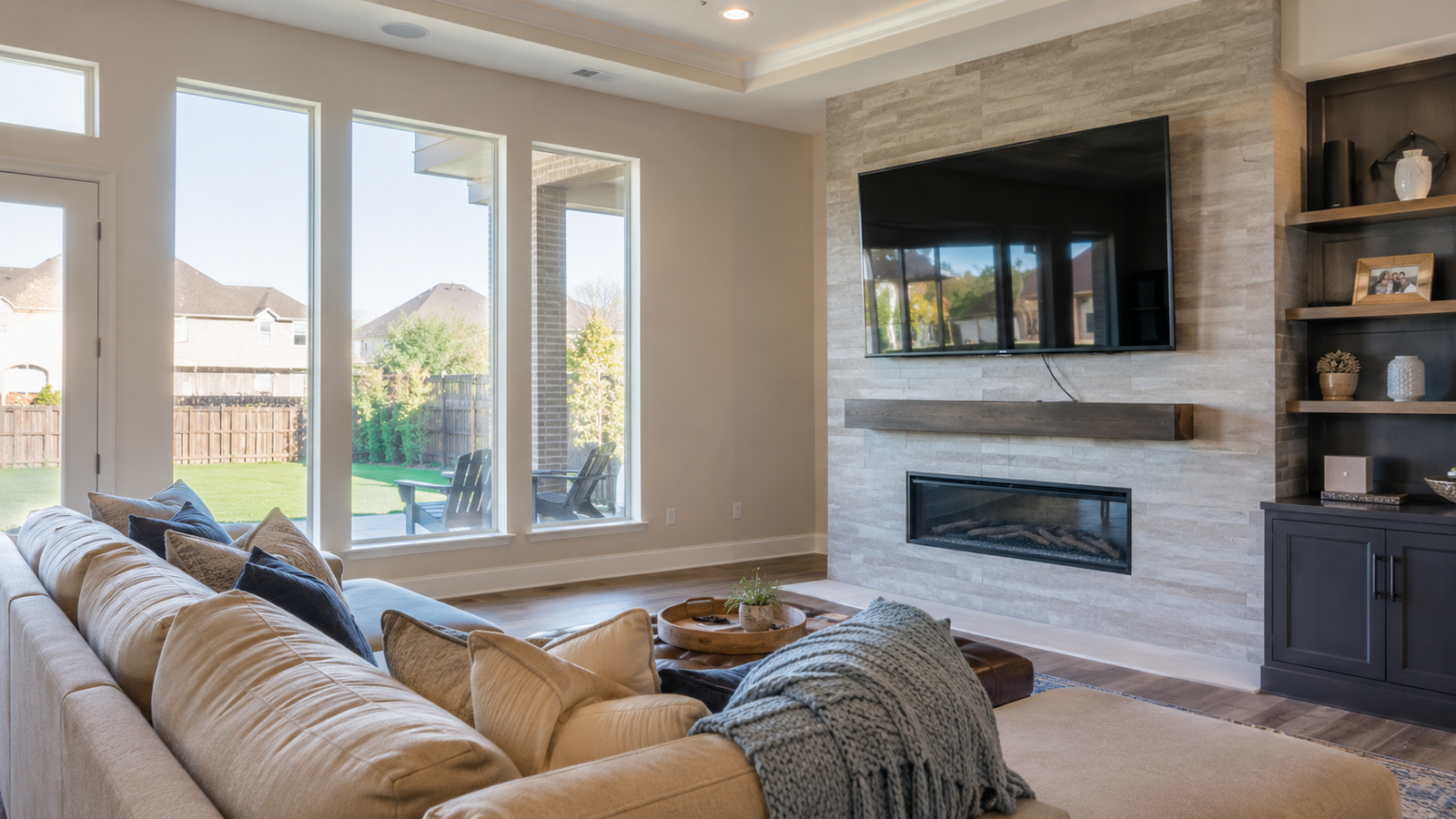
After a remodel, a new TV, or a room refresh, the mount itself is usually not the hard part. The trouble starts when wall structure, cable paths, outlet placement, glare, and seating distance were never planned together. Turnip Technologies helps Katy homeowners sort out those details before the project turns into extra patching, awkward viewing angles, or a TV that looks finished from one side of the room and wrong from the other.
Call 281-984-4800 to plan the next step.TL;DR
TV mounting problems after upgrades usually come from planning gaps, not the TV itself. In Katy homes, we often see issues tied to fireplace walls, accent walls, built-ins, and finished spaces where the best cable route disappeared once the remodel was done. A clean mount depends on structure, power, viewing height, and where the room actually gets used.
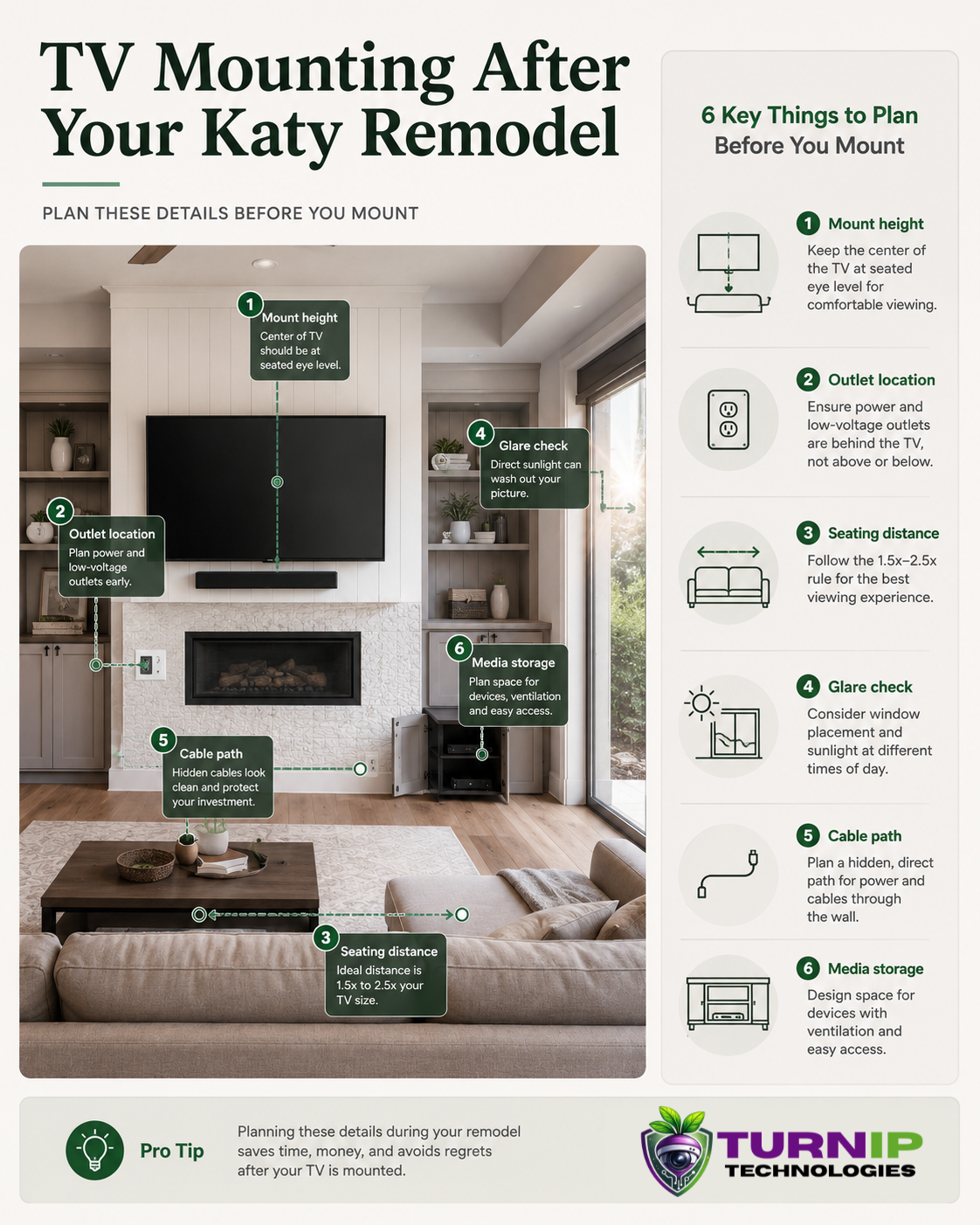
- Check wall structure before choosing the mount location.
- Plan power, cable concealment, and device placement together.
- Watch for glare from windows and bright open-concept layouts.
- Measure from the seating area, not just from the wall.
- Use a layout that still works after furniture and decor are in place.
Why do TV mounting problems show up after upgrades?
Once a room is upgraded, the easy options are usually gone. Drywall is finished, trim is painted, furniture is already in place, and the cable route you wanted may now run straight through a headache. That is why a TV mount can feel simple on paper and become a planning job in real life.
In homes we visit around Katy, Cinco Ranch, and Elyson, the issue is often not the TV size. It is the room layout after the upgrade. A new mantel, a built-in cabinet, or a shifted sofa can make the original TV location feel off by a few feet, which is enough to create neck strain or glare that nobody noticed during the remodel.
What we commonly see in Katy homes after a remodel
Fireplace walls that look great, but sit too high
A TV above a fireplace can work, but the viewing height needs to be checked against the actual seating distance. A pretty focal wall is not automatically a comfortable one.
Accent walls with no clean cable path
After paint, shiplap, or stone is installed, the hidden route for power and signal can get more complicated. Retrofits often need more planning than homeowners expect.
Open-concept rooms with glare from multiple directions
Large windows, patio doors, and bright kitchen lighting can wash out the screen at certain times of day. In Katy, that shows up fast in family rooms that face west or south.
Built-ins that leave little room for devices
Streaming boxes, soundbars, and gaming gear need ventilation and access. If the cabinet was designed for decor first, the equipment can end up crowded and annoying to use.
What usually causes the problem?
Many homeowners assume a stronger mount or a bigger TV will solve the setup. The real issue is usually placement. If the wall studs, outlet location, and viewing angle are not aligned, the finished result can still feel awkward.
On retrofit projects, we also see the network and media gear get ignored until the last minute. That matters because streaming devices, game consoles, and sound systems need a clean, reachable setup. A TV that is mounted beautifully but leaves cords dangling or devices stuffed in a cabinet is not really finished.
| Common issue | What it usually means | Better planning move |
|---|---|---|
| TV feels too high | Mount height was chosen from the wall, not the sofa | Measure seated eye level before drilling |
| Visible cords | Power and signal paths were not planned together | Map cable routes before the mount goes up |
| Screen glare | Window placement and room lighting were overlooked | Check the room at the time of day it is used most |
| Cluttered media gear | Devices were added after the cabinet or wall finish was chosen | Leave space for ventilation, access, and service |
Planning mistakes that create avoidable rework
One mistake we see repeatedly is waiting until after the upgrade is complete to decide where the TV should live. By then, the wall finish, furniture layout, and cable access are already locked in. That is when a straightforward install starts turning into patching, rerouting, and compromises nobody wanted.
- Choosing the wall before checking seating distance.
- Ignoring where the power outlet actually lands behind the screen.
- Mounting before confirming stud location and wall type.
- Forgetting about soundbar placement and device ventilation.
- Planning for the TV, but not for the cables, remotes, or streaming gear that come with it.
In newer Katy-area homes, especially around larger floor plans, the room may have plenty of wall space but not the right wall space. That is a small difference on paper and a big difference once the furniture is in place.
How to make a TV mount work better after an upgrade
Before anything gets installed, walk the room the way you actually use it. Sit where people watch. Check glare in the afternoon. Look at where consoles, streaming boxes, and sound equipment will sit. If the room is part of a larger open layout, think about how the TV looks from the kitchen, hallway, or nearby seating area too.
During planning walkthroughs, we usually recommend treating the mount as part of the whole media setup, not a separate task. That includes hidden wiring, power access, and a clean path for future changes. The FCC’s consumer guidance is a useful reminder that connected devices work best when the home network and device setup are both stable, not just the screen on the wall. FCC consumer guidance
| Decision point | Why it matters | Good homeowner check |
|---|---|---|
| Mount height | Affects comfort during long viewing sessions | Check from the main sofa, not standing position |
| Wall type | Determines hardware, routing, and finish work | Confirm stud spacing and wall material first |
| Power location | Controls whether cords can be concealed cleanly | Verify outlet placement before finalizing the wall |
| Device storage | Impacts ventilation and day-to-day usability | Leave room for remotes, boxes, and service access |
Local observations from Katy-area projects
In Cinco Ranch and nearby neighborhoods, we often see family rooms that were upgraded for style first and function second. That is where TV placement gets tricky, especially when a fireplace, built-in shelves, or a big window wall is part of the design.
In Elyson, open layouts can make the room feel spacious, but they also make screen placement more sensitive. A TV that looks centered from one angle can feel off from the main seating area. That is the kind of detail homeowners usually notice after the furniture is already moved back in, which is never the fun version of a weekend.
Houston heat also changes how people use these spaces. Families spend more time indoors during the hottest months, so a screen that is slightly too high, too bright, or awkwardly wired becomes a daily annoyance instead of a minor issue.
Where a professional TV mounting plan helps most
Professional planning is most useful when the room has already been upgraded and the cleanest options are no longer obvious. That is especially true if you want hidden wiring, a soundbar, a streaming box, or a mount that needs to work around stone, tile, or custom trim.
- Fireplace walls with heat and height concerns.
- Accent walls where cable concealment is limited.
- Rooms with glare from large windows or patio doors.
- Built-ins that need room for media gear.
- Multi-use spaces where the TV must look good from more than one angle.
For homeowners who are also thinking about access control in Katy or broader home technology upgrades, it often makes sense to look at the whole setup together. A clean media wall and a reliable network usually age better than a series of one-off fixes.
Frequently Asked Questions
Why do TV mounting problems happen after a remodel?
Because the remodel changes the room layout, but the TV plan often stays stuck in the old setup. Once the wall finish, furniture, and cable paths are set, it becomes harder to hide wires or adjust the viewing angle cleanly.
Should the TV be centered on the wall or centered on the seating area?
In most living rooms, the seating area matters more. A wall-centered TV can look neat, but if it is too high, too low, or awkward from the sofa, the room will not feel right day to day.
What should Katy homeowners check before mounting a TV?
Check the wall type, stud location, outlet placement, glare, seating distance, and where media devices will live. If the room was recently upgraded, also confirm whether any hidden wiring or patch work is needed first.
Can a TV mount be adjusted later if the room changes again?
Sometimes, yes, but every move can leave new holes, patching, and cable changes behind. It is usually better to get the height, location, and wiring plan right the first time.
Do I need help if the TV is already mounted but the setup feels off?
Yes, if the screen is uncomfortable to watch, the cords are visible, or the media gear is hard to use. A better layout can often improve the room without replacing the TV itself.
Plan TV Mounting With Turnip Technologies
If your Katy home has already been upgraded and the TV setup still feels unfinished, Turnip Technologies can help you sort out the wall, wiring, and placement before the next round of frustration starts. Call 281-984-4800 to talk through the room and plan a cleaner result.
Call 281-984-4800 to plan the next step.