
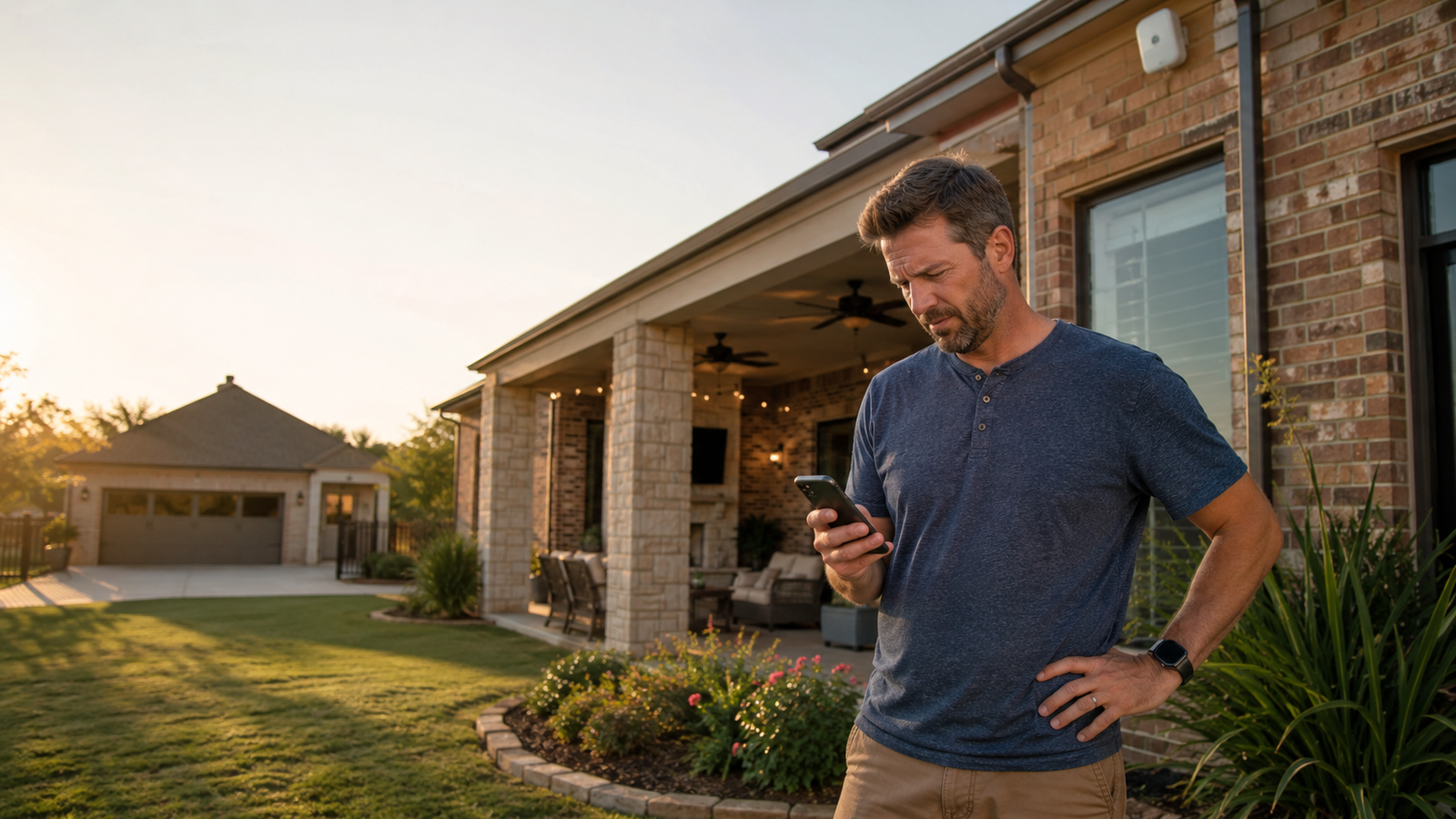
TLDR: If your Tomball home already has weak spots, summer tends to expose them fast. Heat, humidity, larger floor plans, detached garages, and outdoor living spaces can all make a basic WiFi setup feel unreliable right when the house is busiest. A better-planned wifi systems upgrade usually starts with placement, wiring, and ventilation, not just a newer router.
Why do Tomball homeowners regret waiting until summer?
Because summer is when the network gets tested the hardest. Kids are home more, TVs stream more, patios get used more, and smart devices stay active longer. If the router is already tucked into a hot laundry room or a cramped utility closet, that extra load can push an average setup into full-on frustration mode.
In Tomball, we also see a lot of homes where the original WiFi plan was fine for move-in day, but not for real life after furniture, fencing, landscaping, and family routines settle in. That is usually when the weak spots show up. Not in January, of course. Right when everyone wants to sit outside and pretend Houston humidity is not a thing.
How does summer heat affect WiFi performance in a Tomball home?
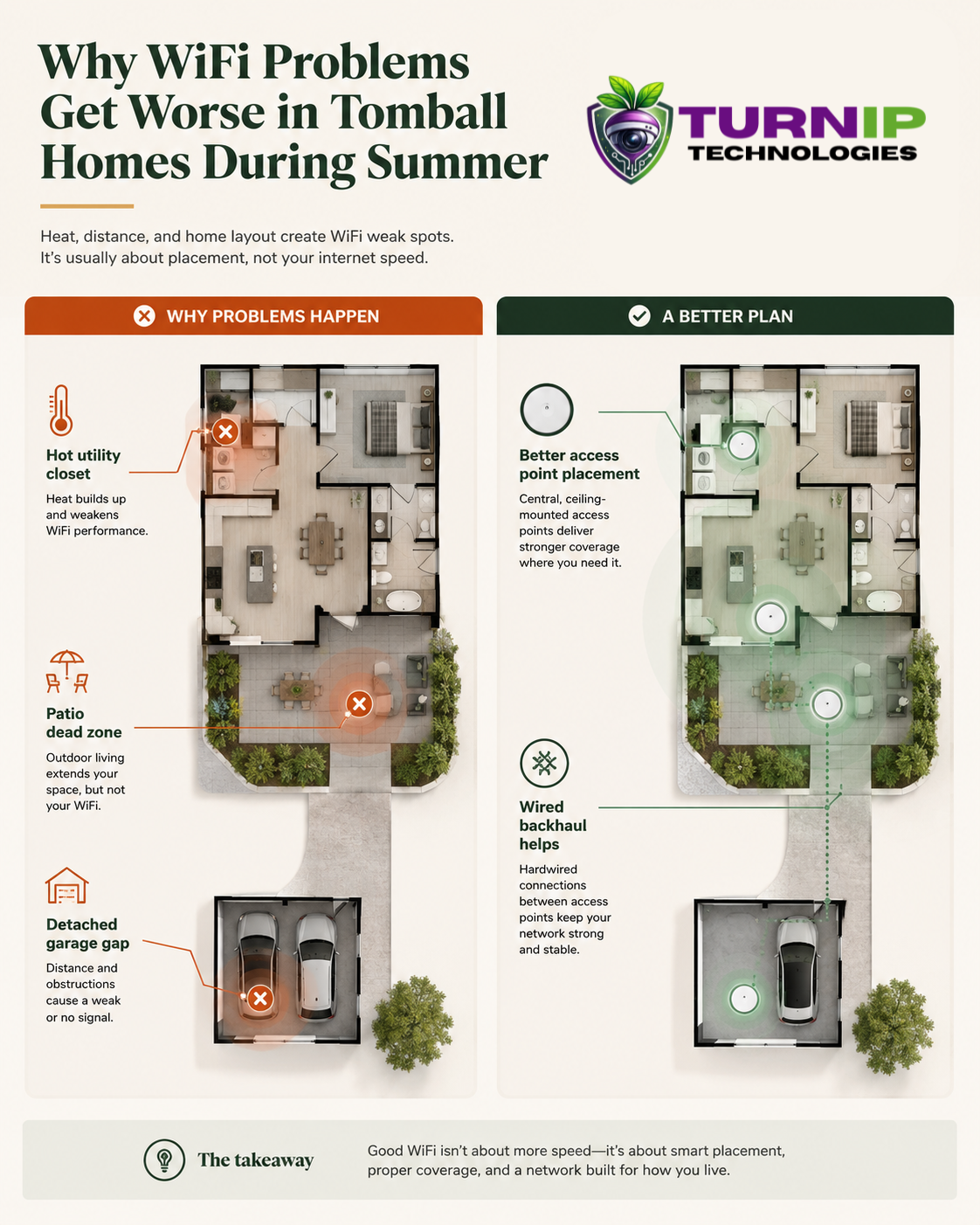
Heat does not usually “break” WiFi by itself, but it absolutely makes a poor setup more obvious. Routers and network gear need airflow. When they are boxed into a laundry room shelf, a crowded closet, or a panel with no ventilation, they can run hotter and become less stable.
What we commonly see is not a bad internet plan. It is a bad equipment location. The signal may be fine near the panel, then fall apart in the kitchen, upstairs hallway, patio, or detached garage.
That matters in Tomball neighborhoods with larger homes and outdoor living areas, especially places like Bridgeland and Towne Lake, where the home footprint and backyard use can outgrow a builder-basic network pretty quickly.
What field observations usually point to a WiFi upgrade problem?
During planning walkthroughs, a few patterns come up again and again:
- Cramped network panels: The equipment is technically installed, but airflow, cable management, and future expansion are all squeezed into the same tight spot.
- Coverage that stops at the back door: Indoor WiFi works well enough until someone steps onto the patio, side yard, or driveway edge.
- Detached garage dead zones: A garage can sit just far enough away to make indoor WiFi unreliable, especially when walls, insulation, and distance all stack up.
- Access points placed for convenience, not coverage: The easiest install location is not always the place that gives the best signal where the family actually uses devices.
One thing that catches families off guard is how often the weakest signal is in the exact room where someone works, streams, or games the most. The home office never gets the memo that the router is “supposed” to be enough.
What are the most common homeowner frustrations?
- Video calls freezing at the worst time
- Smart TVs buffering during evening use
- Security cameras lagging or dropping offline
- Patio and backyard coverage that disappears after a few steps
- Random reboots when the equipment gets too warm
Many homeowners assume a stronger router will solve all of this. Sometimes it helps. Often, the real fix is better placement, wired backhaul, and a layout that matches how the home is actually used.
Why do builder-grade WiFi setups fall short so often?
In many builder-grade homes we visit, the network plan is designed for construction speed, not long-term performance. The equipment lands wherever it was easiest to run during the build, which is not always where coverage is needed later.
That creates a few predictable issues:
- Panels placed in laundry rooms or utility closets with limited airflow
- No clean pathway for future access points or wired backhaul
- Coverage that ignores side yards, patios, and detached garages
- Too little room in the panel for future expansion and cable organization
Once drywall is finished, those shortcuts are harder to correct. Retrofits can still be done well, but the cleanest routes are usually gone by then.
What planning mistake causes the biggest regret later?
One mistake we see repeatedly is waiting to plan WiFi until after the home is fully furnished and the outdoor spaces are already finished. At that point, the best cable paths may be hidden behind trim, insulation, cabinets, or landscaping.
That is when a simple upgrade turns into a more complicated retrofit. Instead of a straightforward install, the project starts involving attic access, finished walls, furniture, and a lot of “well, we can probably make this work” conversations.
What should homeowners plan before summer arrives?
The best approach is to start with coverage goals, not equipment boxes. Ask where the home actually needs reliable service day to day:
- Primary living areas
- Home office or study spaces
- Patio and outdoor seating areas
- Detached garage or workshop
- Security cameras and smart home devices
From there, the network can be built around the home instead of forcing the home to adapt to the network.
Which upgrade choices usually make the biggest difference?
A good WiFi upgrade is usually about placement, wiring, and service access. Not just speed numbers on a box.
| Upgrade decision | Why it matters | What homeowners usually notice |
|---|---|---|
| Move equipment to a better-ventilated location | Helps reduce heat buildup and improves service access | Fewer random slowdowns and less equipment stress |
| Add wired backhaul where possible | Creates a more stable connection between access points | Better performance across larger homes and outdoor areas |
| Place access points based on real use, not just convenience | Improves coverage where people actually spend time | Fewer dead zones in patios, offices, and upstairs rooms |
| Leave room for future expansion | Makes later upgrades cleaner and less disruptive | Less rewiring when new devices or spaces are added |
How do WiFi systems connect to the rest of the home?
WiFi is the foundation for a lot of other technology now. Security cameras, smart home devices, streaming gear, and even some access control features depend on a stable network behind the scenes.
That is why we often recommend thinking about the network as part of the whole home technology plan, not a separate afterthought. The FCC’s consumer guidance on home networking is a good reminder that placement, signal quality, and connected-device management all matter for everyday reliability.
For structured cabling and low-voltage planning, the TIA’s standards framework also reinforces a simple idea: the infrastructure behind the walls matters just as much as the devices on the shelf.
What practical steps help before the heat really sets in?
- Check whether the router or panel is sitting in a hot, cramped space
- Walk the property from the driveway to the patio and garage to find weak coverage areas
- Confirm whether key devices need wired connections for better stability
- Plan access point locations around where the family actually uses WiFi
- Review whether the panel has room for future expansion and cleaner cable management
If the home already has cameras, smart devices, or a detached garage, those should be part of the plan from the start. Otherwise, the network gets blamed for problems that are really about layout and placement.
Quick planning guide for Tomball homeowners
| Area of the home | Common issue | Better planning choice |
|---|---|---|
| Utility closet or laundry room | Heat buildup and limited airflow | Use a better-ventilated, service-friendly location when possible |
| Back patio | Coverage drops once you step outside | Place equipment to support outdoor use, not just indoor rooms |
| Detached garage | Weak signal through distance and walls | Plan for wired support or a properly placed access point |
| Upstairs office or media room | Slow speeds in the room that needs the most reliability | Prioritize the actual work and streaming zones during design |
How does professional installation help?
Professional planning keeps the installation cleaner and usually more reliable. It also helps avoid the common trap of adding more devices without improving the network foundation first.
- Cleaner cable routing with less visible clutter
- Better equipment placement for airflow and service access
- Coverage planning that includes patios, garages, and side yards
- More reliable support for cameras and smart home devices
- Room for future upgrades without starting over
That kind of planning matters even more in Houston-area homes where summer heat, large floor plans, and outdoor living spaces all push the network a little harder.
Frequently Asked Questions
How do I know if my WiFi equipment is overheating?
Frequent disconnects, random reboots, and slower performance on hot days are common clues. If the router or panel is in a tight laundry room, closet, or cabinet, poor airflow may be part of the problem.
Can a mesh system fix weak WiFi in a larger Tomball home?
It can help, especially when access points are placed well and connected with wired backhaul where possible. A mesh system works best when it is planned around the home’s layout instead of dropped in as a quick fix.
Why is my patio WiFi worse than my indoor WiFi?
Outdoor areas are harder to cover because distance, walls, windows, and exterior materials all affect signal strength. Patio coverage usually needs more intentional placement than the rest of the house.
Should I upgrade before summer or wait until I notice problems?
Before summer is usually the smarter move. Once the heat, humidity, and heavier home use kick in, the weak spots become more obvious and the retrofit options can be more limited.
Do security cameras depend on the WiFi system too?
Yes, in many homes they do. If the network is unstable, cameras can lag, disconnect, or miss recordings. A solid WiFi foundation helps the rest of the smart home work more reliably.
Ready to avoid a summer WiFi headache?
If your Tomball home has dead zones, a hot equipment closet, or outdoor areas that never seem to get a strong signal, it may be time to plan an upgrade before summer gets fully underway. Turnip Technologies can help assess the layout, identify the weak spots, and recommend a practical path forward.
Call 281-984-4800 or visit Turnip Technologies to start the conversation.