
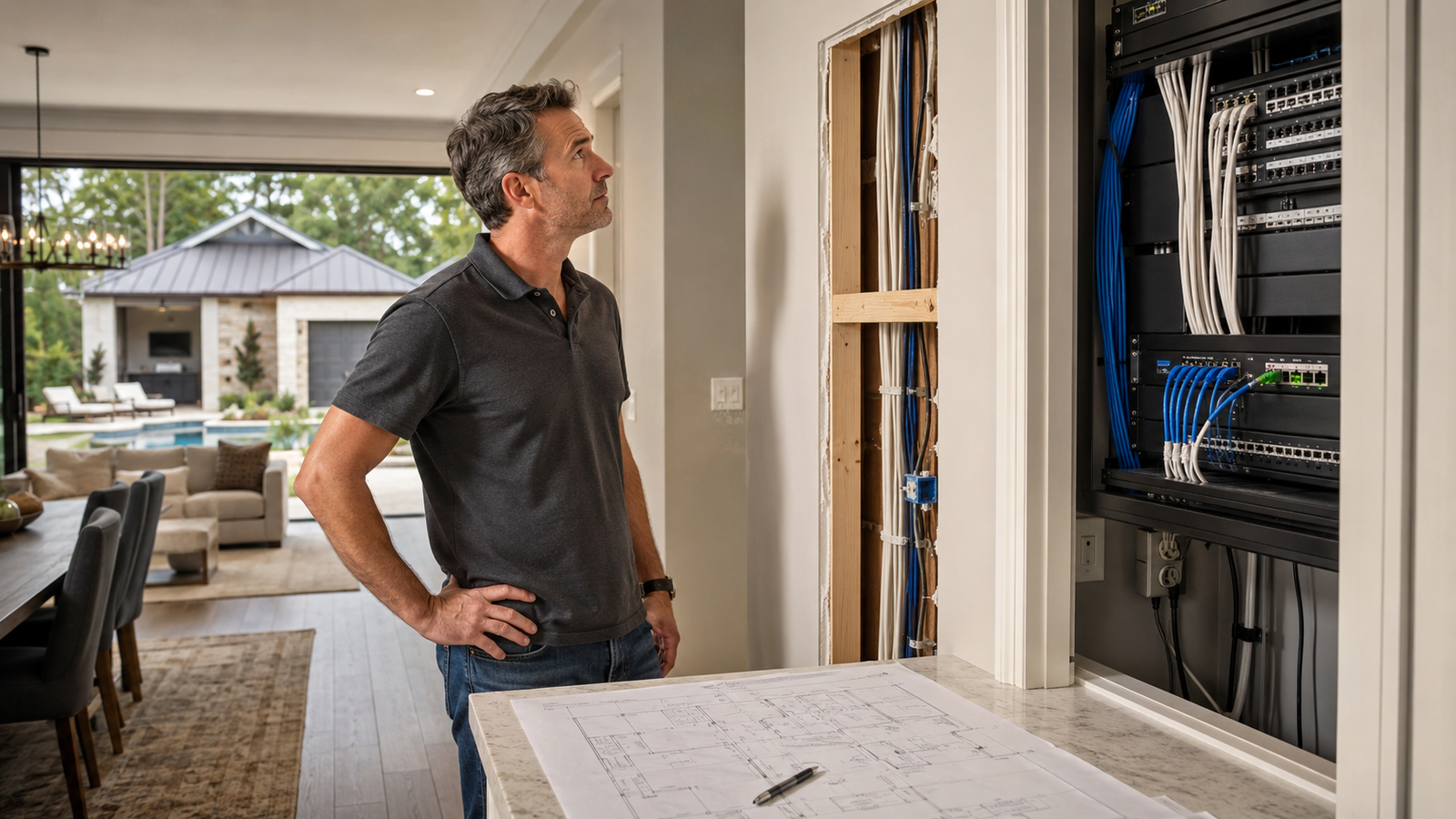
TLDR: If you wait until after drywall, paint, and landscaping to plan structured wiring, the “simple upgrade” usually turns into a mess of patching, rerouting, and compromise. In The Woodlands, where homes often have larger footprints, detached garages, and outdoor living spaces, early wiring planning helps keep WiFi stable, camera coverage useful, and future upgrades a lot less painful.
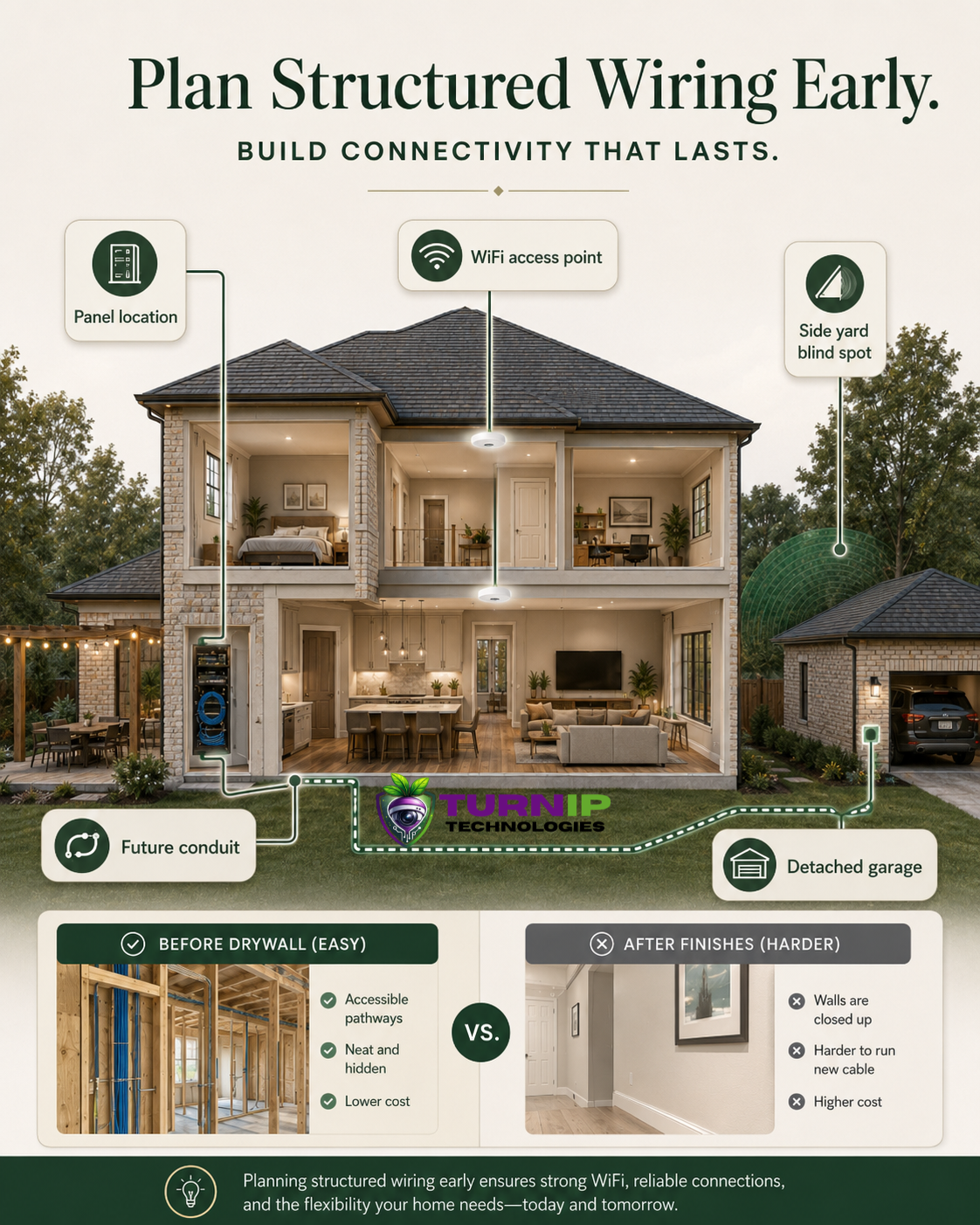
What is structured wiring and why does it matter for The Woodlands homes?
Structured wiring is the organized low-voltage backbone that supports your home’s network, cameras, access control, smart home gear, and entertainment systems. Instead of treating each device like a one-off fix, it gives the house a cleaner plan from the start.
In The Woodlands, that matters more than people expect. Larger floor plans, side yards, patios, and detached garages can create the exact kind of coverage gaps that WiFi alone struggles to handle. A strong network is only as good as the wiring and placement behind it.
One pattern we regularly notice is that builder-grade wiring often gets the home “good enough” for move-in, but not really ready for the way families use it a year or two later.
Why do homeowners regret delaying structured wiring installation?
Because once the house is finished, every cable run becomes a route-planning problem. Drywall is up, furniture is in place, the attic is hot, and the clean path you wanted is usually gone.
That is when a straightforward upgrade starts asking for patching, paint touch-ups, and extra labor just to reach the right spot.
- Finished walls and ceilings limit clean cable paths
- Attic access can be tight, especially around insulation and roof framing
- Outdoor areas often need conduit or protected pathways that were never planned
- Retrofits can disrupt rooms families already use every day
In newer Houston-area homes, we often see the regret show up first in the rooms people use most: a home office with weak WiFi, a patio with no coverage, or a side gate that never got camera attention in the original plan.
What field observations matter most before you choose equipment?
Before choosing devices, it helps to look at the house like a technician would during a walkthrough. The placement decisions matter just as much as the hardware.
| Area to Review | Why It Matters | Common Miss |
|---|---|---|
| Network panel location | Controls how easy future expansion, cable management, and service access will be | Cramped laundry or utility closet with no room to grow |
| Side yards and gates | These are often the real blind spots for security cameras | Front door coverage only |
| Detached garage or backyard structure | Distance can make indoor WiFi unreliable fast | Assuming the main router will reach everything |
| Outdoor living spaces | Patios, kitchens, and covered areas need different planning than interior rooms | No wiring path for access points, speakers, or cameras |
In homes around Bridgeland, Towne Lake, and similar larger neighborhoods, those outdoor and side-yard details are usually where the original plan falls short.
How do builder wiring packages fall short?
Builder packages usually cover the basics needed to hand over the home, not the kind of infrastructure that supports future upgrades without drama. That is the tradeoff.
What we commonly see is a panel location that works for the builder’s schedule, not for long-term serviceability. It may be tucked into a utility closet, laundry room, or another spot that leaves little room for additional equipment, cooling, or cable organization.
- Minimal prewire for cameras, often focused on front-facing areas only
- No real plan for wired backhaul to access points
- Limited conduit for future cable additions
- Little thought given to detached garages, patios, or side yards
- Panel placement that makes future expansion awkward
That is why a home can look fully “wired” on paper and still feel underprepared once the family starts adding cameras, streaming devices, work-from-home gear, and smart home controls.
What homeowner misconception causes the biggest headache?
Many homeowners assume a stronger router will solve every dead zone. Sometimes it helps a little, but it rarely fixes the real problem if the house lacks proper wiring, smart access point placement, or a clean backhaul path.
That is especially true in larger The Woodlands homes where the issue is not just signal strength. It is distance, wall materials, panel location, and the simple fact that WiFi does not love being asked to cover every corner of a big property by itself.
According to FCC consumer guidance on home networking, placement and network design play a major role in performance, not just the device itself. For connected systems that need reliability, the foundation matters. FCC consumer guidance
What planning mistake turns a good upgrade into a costly retrofit?
One mistake we see repeatedly is waiting until after exterior finishes, fencing, and landscaping are already done. At that point, the cleanest cable routes are often gone.
That creates a chain reaction:
- Cables have to be fished through finished spaces
- Outdoor runs may need to work around hardscape or plantings
- Camera angles get limited by what is already built
- Service access becomes harder later
In places like The Woodlands, where outdoor living spaces are a big part of the home, this mistake tends to show up fast. The patio gets finished, the fence goes up, and suddenly the best camera or access point location is no longer easy to reach.
How can you avoid turning your home upgrade into a wiring nightmare?
The safest move is to plan the wiring before drywall, trim, and final finishes lock everything in place. That gives you more options and usually a cleaner result.
| Planning Decision | Better Choice | Why It Helps |
|---|---|---|
| Panel location | Choose a central, accessible spot with room to expand | Makes future equipment changes easier |
| Camera coverage | Walk the driveway, side yards, gates, and garage approaches | Captures the areas people actually use |
| WiFi planning | Place access points where wired backhaul is possible | Improves stability and reduces troubleshooting |
| Outdoor infrastructure | Include conduit or protected pathways early | Prevents messy retrofits later |
During planning walkthroughs, we recommend looking at the home from the driveway, the side gate, the patio, and the garage, not just the front door. That is usually where the blind spots show up.
What does a well-planned structured wiring system look like?
A well-planned system is not just “more wires.” It is the right wiring in the right places, with enough flexibility for future upgrades.
- Room for the network panel to grow without becoming a tangled mess
- Camera wiring aimed at useful entry points, not just obvious ones
- Wired paths for access points where coverage actually drops off
- Conduit or cable pathways that protect future expansion
- Clean service access so upgrades do not turn into a demolition project
For structured cabling principles, the TIA standards are a useful reference point for organized, scalable low-voltage infrastructure. That kind of planning is what keeps a home from feeling pieced together later.
What practical steps should The Woodlands homeowners take now?
If you are building, remodeling, or planning a major tech upgrade, start with the house layout before you start shopping for gear.
- Map out where family members actually use WiFi the most
- Check side yards, gates, patios, and detached garages for weak coverage
- Choose a network panel location with room for growth
- Plan conduit or cable pathways before walls are closed
- Coordinate cameras, access control, and network gear as one system
That last point matters. Smart home devices are only as reliable as the network supporting them, and a messy foundation tends to create messy troubleshooting later. For device security and connected-home best practices, CISA’s Secure Our World guidance is a good reminder to build with reliability and security in mind.
Frequently Asked Questions
Can I add structured wiring after I move in?
Yes, but it is usually more disruptive and expensive. Finished walls, furniture, insulation, and landscaping all limit the cleanest cable paths. If you can plan it earlier, you will usually save time and avoid a lot of patchwork.
Will a stronger WiFi router fix dead zones in a larger home?
Not always. In many cases, the real issue is placement, missing wired backhaul, or a layout that needs access points in better locations. A stronger router cannot always overcome a bad path through the house.
Why does the network panel location matter so much?
Because it affects service access, cable organization, ventilation, and future expansion. A cramped utility closet can make even a good system harder to maintain later.
Do detached garages and outdoor living spaces need special planning?
Yes. Those areas often sit just far enough away from the main house to create WiFi problems. They usually need their own wiring strategy instead of hoping the signal will “just reach.”
What is the best time to plan structured wiring?
Before drywall, trim, and final finishes whenever possible. That is when cable routes are easiest to plan and the installation can stay clean.
Ready to avoid wiring headaches in your The Woodlands home?
If you are building or remodeling, Turnip Technologies can help you plan a structured wiring setup that fits the way your home actually works. Call 281-984-4800 to talk through your project and get practical guidance before the walls close up.