
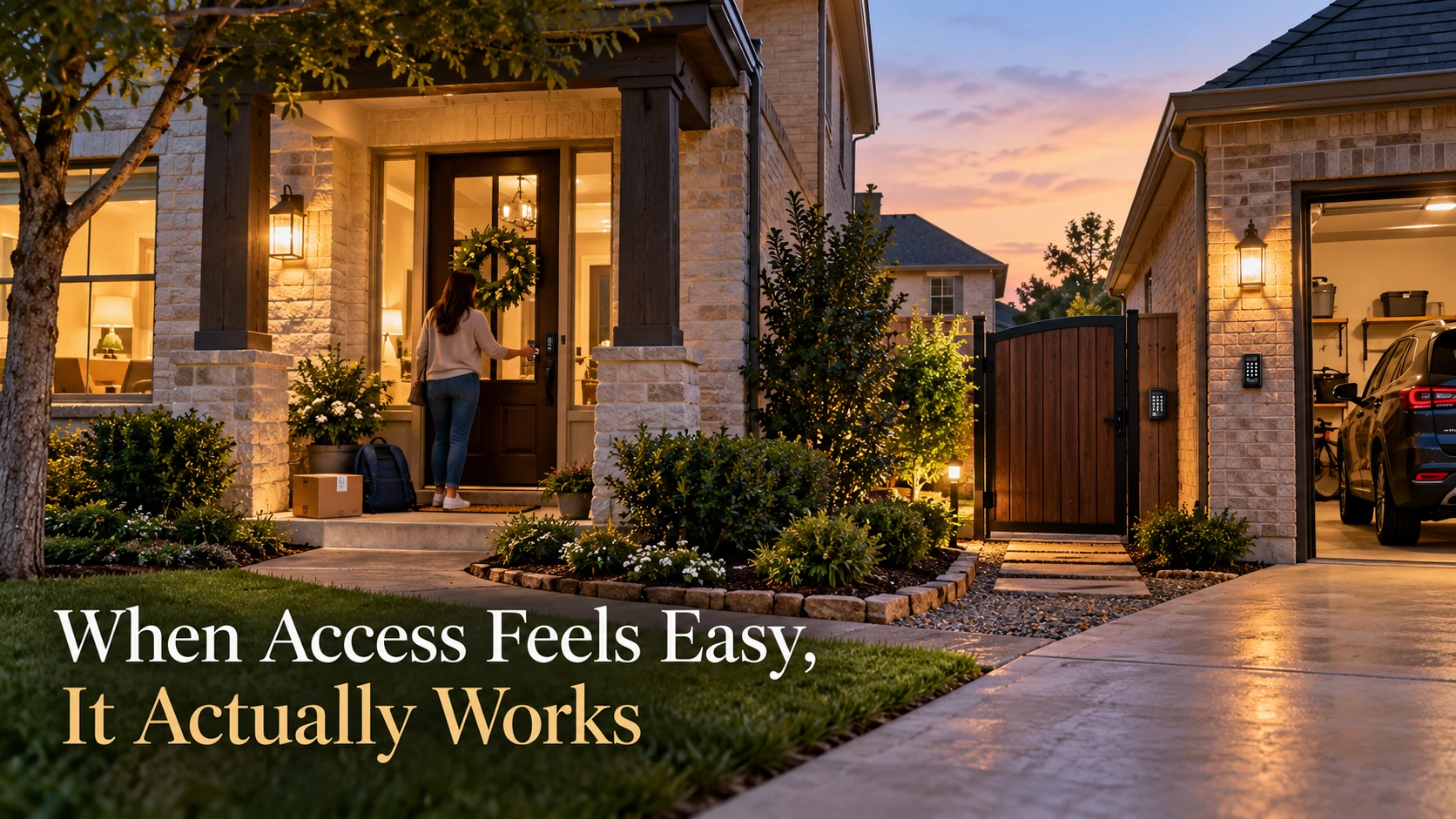
TLDR: The most common access control installation Sugar Land homeowners regret is choosing a setup that works on day one but gets clunky once kids, guests, deliveries, and busy schedules kick in. A cleaner plan for gates, side doors, and garage access saves a lot of daily friction.
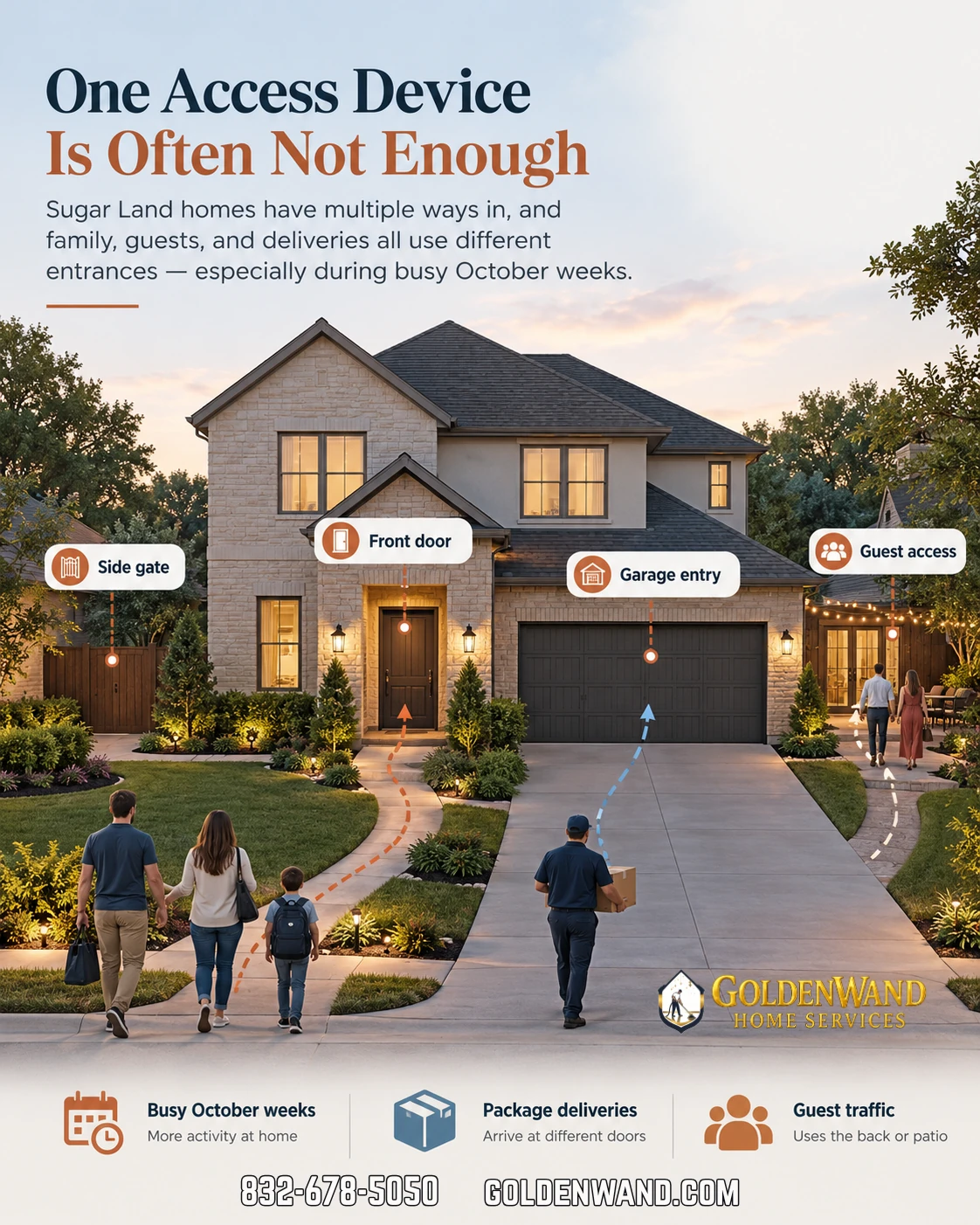
In Sugar Land, the problem usually shows up after the first few busy weeks. The system is secure enough, but it is awkward to live with. Someone is always locked out, a code gets shared too often, or the front entry becomes the only practical way in and out.
That is usually when homeowners realize the real issue was not the hardware. It was the access plan.
Why the first few busy weeks expose a bad access setup
The early honeymoon period hides a lot. Everyone remembers the new keypad, the app, or the smart lock. Then school drop-offs start, deliveries stack up, and relatives come by without much notice. Suddenly, the “simple” system is the thing slowing everyone down.
In homes we visit around Sugar Land, Greatwood, and Telfair, the frustration is rarely about security. It is about daily rhythm. Families want convenience without turning the house into a puzzle every time someone needs in.
- Kids forget codes or fumble with the app
- Guests arrive when nobody is near the door
- Delivery drivers use the wrong entrance
- Side gates become the backup plan, then the main plan
- Garage access turns into a constant “who has the remote?” conversation
That is why access control works best when it is designed around how the home actually runs, not just where the prettiest entry point is.
What homeowners usually get wrong
One thing that catches families off guard is assuming a smart lock or keypad on the front door solves the whole problem. It helps, sure. But once you have a side door, a gate, a detached garage, or a back entry that gets used more than the front porch, the system needs more thought.
Many homeowners assume one device can cover every entry. In practice, that usually creates more sharing, more exceptions, and more frustration.
According to CISA guidance on smart home device security, connected devices should be set up with strong passwords, updated software, and careful access management so convenience does not turn into an easy security gap. That matters even more when multiple family members and guests are using the system.
The better question is not, “What device should I buy?” It is, “Which entrances get used most, and who needs access to each one?”
The hidden places access problems show up
During planning walkthroughs, we pay close attention to the spots homeowners do not think about first. Those are usually the places where a system feels fine on paper but annoying in real life.
One pattern we regularly notice is that the side gate becomes more important than the front door. That is especially true in Houston-area homes with larger lots, outdoor living spaces, or detached garages.
- Side gates that are used for trash day, lawn care, or backyard access
- Garage entries that become the family’s everyday entrance
- Pool or patio access points that guests naturally drift toward
- Secondary doors that are secure but inconvenient to manage
- Driveway and delivery access that needs to be controlled without being overcomplicated
In Sugar Land neighborhoods like Riverstone and nearby communities, we often see homes where the layout itself pushes people toward the back or side of the house. That is fine, as long as the access plan matches the layout.
Planning choice: quick install or daily convenience?
Here is the tradeoff most homeowners do not see until later. A fast setup can look clean and affordable, but a better-planned system usually saves time every single day.
| Planning Choice | Short-Term Result | Long-Term Impact |
|---|---|---|
| Front-door-only access | Simple to install | Guests, kids, and deliveries still create daily workarounds |
| Single keypad for every entry | Fewer devices at first | Codes get shared too broadly and the setup becomes harder to manage |
| Planned access by entry point | More thought up front | Cleaner daily use, better control, and less frustration |
That third option is usually the one homeowners wish they had chosen after the busy weeks start piling up.
What we commonly see on Sugar Land homes
What we commonly see is a home with decent hardware but no real plan for who uses which entrance. That usually leads to duplicate codes, extra app permissions, and a family that is never quite sure which door is “the right one.”
In newer Sugar Land homes, especially around Telfair and Greatwood, builder-installed systems often cover the basics but do not always account for future routines. Once the home is lived in, the family pattern changes fast.
That is also where retrofit work gets more complicated. Once drywall, trim, and finished exterior details are in place, clean cable paths and service access become more limited. On projects where we are called in later, the issue is often not the device itself. It is the route the system has to take to work properly.
By the time the home is finished, the best entry point for daily use is not always the most obvious one from the street.
Where smart access helps, and where it does not
Smart locks and access control can make life easier, but they are not magic. They work best when the home network is stable and the entry plan is sensible.
Homeowners are often surprised when adding more access options creates confusion instead of convenience. That usually happens when the system grows faster than the plan behind it.
- Smart locks help with convenience at the main entry
- Keypads are useful for regular users and contractors
- App-based access works well when permissions are managed carefully
- Gates and garage entries need their own logic, not leftovers from the front door
- Shared family access should be simple enough that nobody avoids using it
If you are also thinking about network reliability, the NIST Cybersecurity Framework is a good reminder that connected systems work best when they are planned, monitored, and managed with risk in mind. That is especially true when access is tied to your home network.
Technician observations that matter more than the device brand
During installations, we pay close attention to details that homeowners usually do not notice until something feels off. Those details often matter more than the logo on the box.
- Mounting height: A keypad or reader placed awkwardly becomes annoying fast, especially for kids or frequent guests.
- Entry flow: If people naturally approach from the garage or side gate, that should shape the system.
- Service access: Equipment that is hard to reach becomes harder to maintain later.
- Power and wiring paths: Clean installation paths are easier before the home is fully furnished and landscaped.
A mistake we encounter often is placing everything around the front door because it is the easiest place to picture during the first conversation. That is not always the easiest place to live with.
Local factors that make Sugar Land homes different
Sugar Land homes often have layouts that support more than one way in and out. That is great for family life, but it also means access control has to be a little smarter than a single-door setup.
Houston heat, afternoon storms, and heavy summer use all play a role too. Outdoor entry points get used more when families are moving between the house, patio, pool, and garage. A system that is barely adequate in spring can feel irritating by late summer.
One thing that catches families off guard is how quickly a “temporary” workaround becomes the routine. The side door gets used because it is easier. The garage code gets shared because it is faster. Then nobody wants to undo it.
That is usually the point where a cleaner access control plan starts to pay off.
Warning signs your current setup is already fighting your routine
If any of these sound familiar, the system is probably working against the way your household actually moves:
| Warning Sign | Possible Cause | Recommended Action |
|---|---|---|
| Family members keep texting for the code | Access is not set up by user or by entry point | Rework permissions and simplify the daily path |
| Guests never know which door to use | The main entry is not the most practical entry | Adjust the access plan to match real traffic flow |
| The garage becomes the unofficial front door | Front entry is too inconvenient for daily use | Design the system around the garage and side access too |
| You keep adding exceptions | The setup was built around devices, not habits | Start over with a cleaner access map |
A practical way to think about access control
The best setups are usually the least dramatic ones. They let the right people in, keep the wrong people out, and do not require a family meeting every time someone needs a temporary code.
If you are planning a new system or cleaning up an existing one, start with these questions:
- Which entrance gets used most on a normal weekday?
- Which entrance do guests naturally try first?
- Which door or gate causes the most frustration right now?
- Who needs regular access, and who only needs occasional access?
- Will this still feel easy after the holiday season gets busy?
That last one matters more than people think. October tends to be the start of more visitors, package deliveries, and schedule juggling. If the setup feels clunky now, it usually feels worse when the house gets busier.
Internal links that fit naturally
If you are comparing options for a larger home or a more complex entry layout, it can help to look at a few related service pages. For homeowners in nearby communities, these are useful starting points:
- access control in Sugar Land
- access control for homes with multiple entry points
- access control for newer homes with evolving family routines
- access control for larger layouts and side-yard access
Those pages are a good fit if you are trying to decide whether your current setup is enough or if the home needs a better entry strategy.
Frequently Asked Questions
Is a smart lock enough for a busy Sugar Land household?
Sometimes, but only if the home really has one main entry and the family uses it consistently. Once side doors, gates, and garage access get involved, a single smart lock usually is not enough.
What is the biggest mistake homeowners make with access control?
They design it around the front door instead of the way the family actually enters the house. That usually leads to workarounds, shared codes, and daily annoyance.
Do I need access control for a gate or side door too?
If those entries are used regularly, yes. In many homes, the side gate or garage ends up being the real daily entrance, even if it was not the original plan.
Can access control be added after the home is already finished?
Yes, but the installation path can be more limited once drywall, trim, and exterior finishes are complete. That usually makes planning more important and the install a little more involved.
How do I keep access secure without making it annoying?
Use separate access levels for family, guests, and temporary visitors. Keep the system simple enough that people actually use it the way it was intended.
A better setup feels calmer every day
The right access control setup should reduce small daily headaches, not create them. When it is planned well, nobody has to think much about it. That is the point.
For Sugar Land homeowners, the best results usually come from matching the system to the home’s actual traffic pattern, not just the prettiest entry point. That is where convenience and security finally stop fighting each other.
If your current setup already feels clunky after the first few busy weeks, it is probably worth correcting now instead of living with it for years.
Talk with Turnip Technologies
If you want a cleaner, more practical access control setup for your Sugar Land home, Turnip Technologies can help you think through the entrances, users, and daily routine before anything gets installed the wrong way.
We focus on systems that are secure, easy to live with, and built around real homeowner use. If that sounds like what you need, call 281-984-4800 or visit turniptech.com to start the conversation.